BHHC Safety Center SafetyNow Online Training sends out many different types of notifications via email. Some examples include:
- When the user is first created
- When a new course is assigned
- After a course becomes overdue
- Weekly summaries of courses they must take etc.
As an admin, you can view every single notification that has been sent to a user, when it was sent, and see a preview of the email itself.
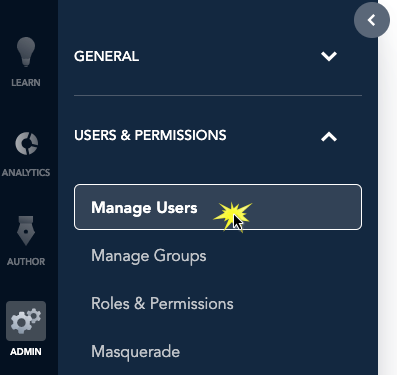
To view a user's notifications, start by going to the Admin section via the Application Switcher. From there, click on Users & Permissions and in the menu that appears, click Manage Users.
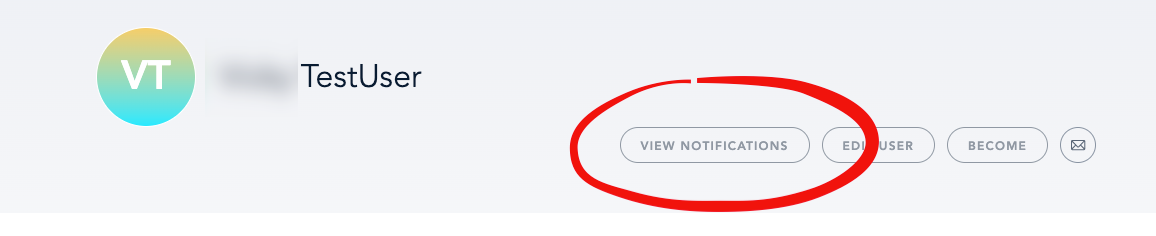
You'll see a list of all the users in your account. Click on the user's name who you want to view notifications for, then click on View Notifications.
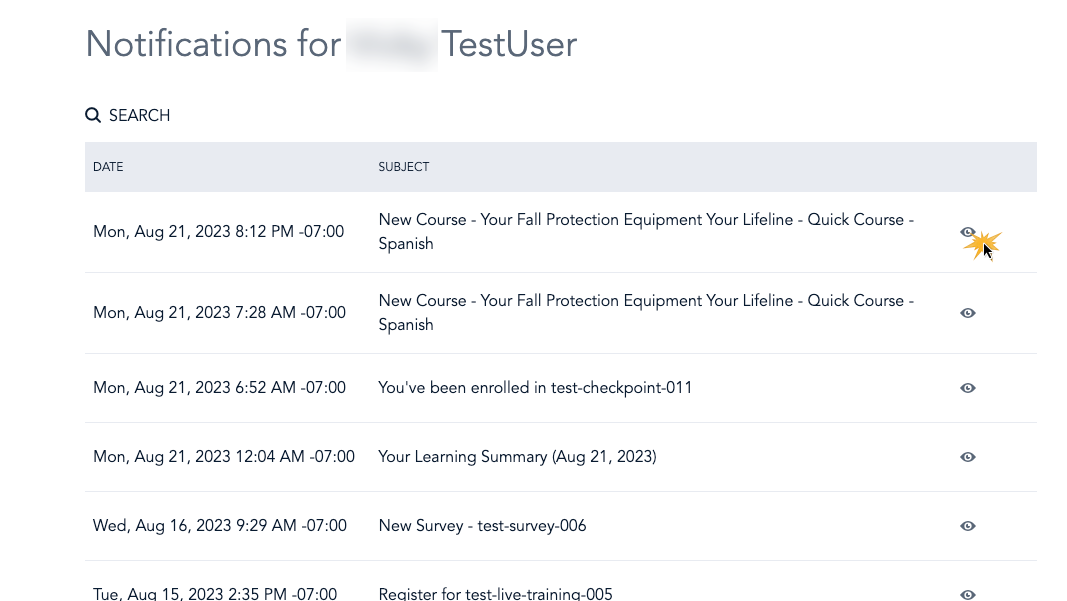
That will show you all the notifications ever sent to the user. You can see the email itself by clicking on the eye icon.
Important! Only users with email addresses will receive notifications.
Was this article helpful?
That’s Great!
Thank you for your feedback
Sorry! We couldn't be helpful
Thank you for your feedback
Feedback sent
We appreciate your effort and will try to fix the article