Learning Status
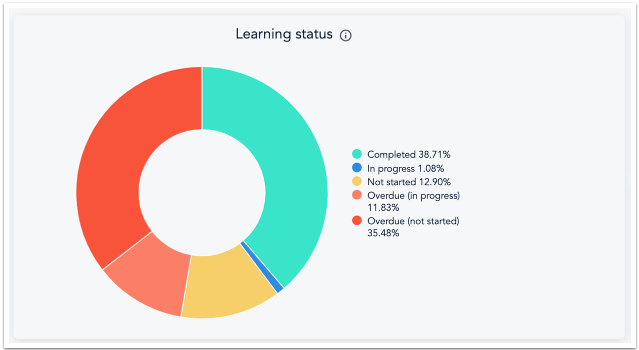
The Learning Status widget is a breakdown of all enrolments in courses, live trainings, and checkpoints.
NOTES:
Program items that are currently locked (due to the program being set to be taken in order and the user not reaching that item in the program) are regarded as 'not started'.
Live Training enrolments are considered 'not started' until the user is registered for an upcoming session which is considered 'in progress'.
Checkpoints are considered 'in progress' once they are assigned.
Learner and Completion data
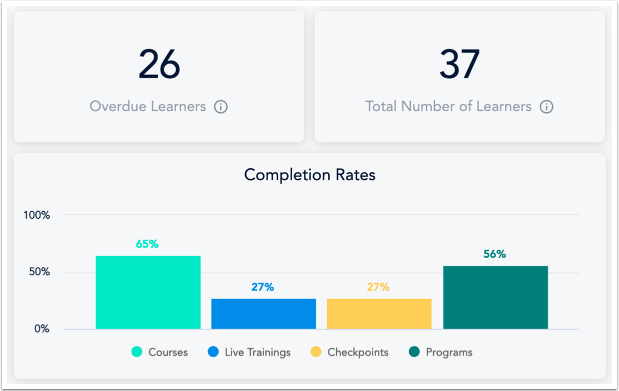
This section includes the following three widgets:
Overdue learners: The number of learners having at least one overdue learning item
Total number of learners: The total number of learners in your account
Course completion rate: The percentage of completed course enrolments
Program Status
The Program Status widget is a breakdown of the enrolment status for programs.
NOTE: This is specific to the completion status to the overall program, not the individual learning items within the program.
Live Training Health
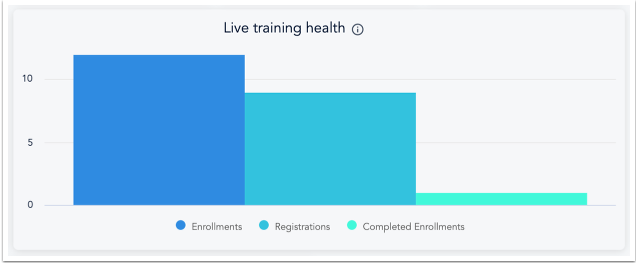
The Live training health widget is a chart showing the number of enrolments, registrations, and completions in live trainings.
Monthly Enrolments
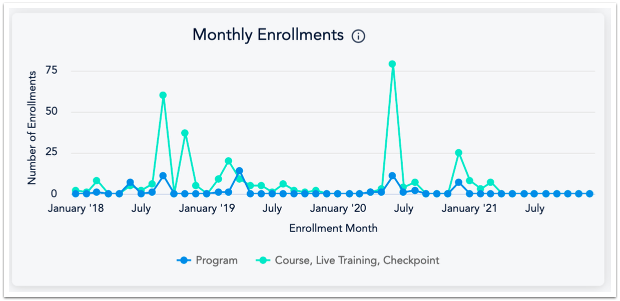
The Monthly Enrolments widget is a chart that shows program and course, live training, and checkpoint enrolments per month.
Program Health
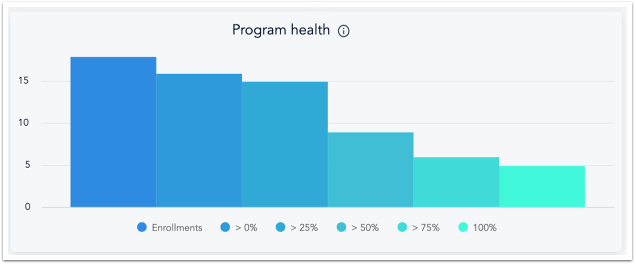
The Program Health widget shows the percentage (and number) of enrolments that are above a certain program execution level. For example, If there are 158 enrolments in the >50% column, it means that 158 learners have completed more than 50% of the learning items in that specific program.
Details View
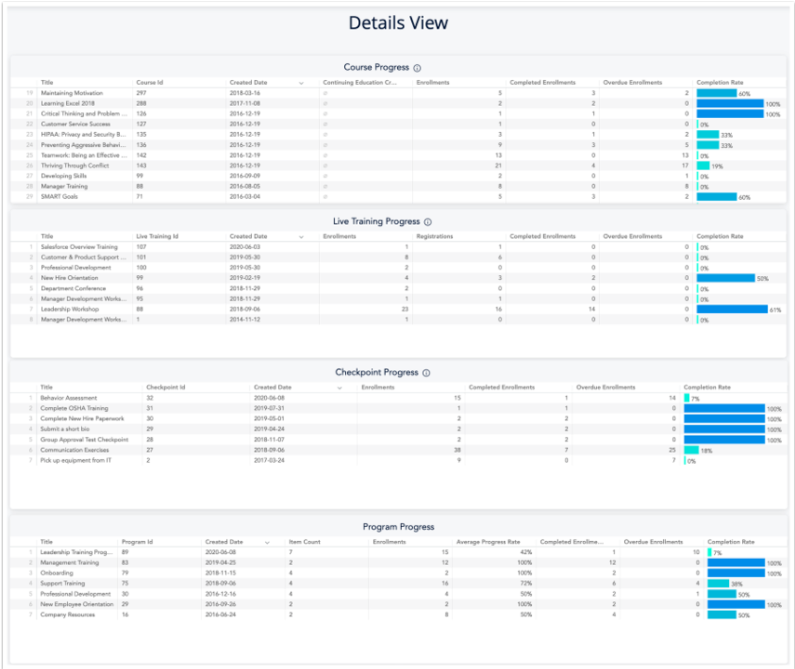
The Details View has a different chart for Course Progress, Live Training Progress, Checkpoint Progress, and Program Progress. Each listed the title of the learnable items, the id of the item, created date, enrolments, completed, enrolments, overdue enrolments, completion rates and specifics for that items such as item count for programs.
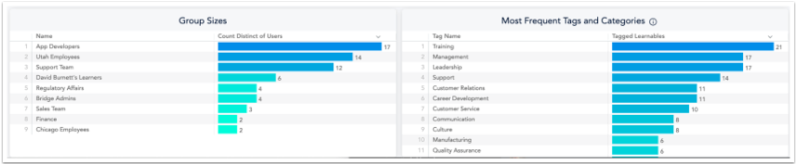
Also within the Details View is a chart for Group Sizes and Most Frequent Tags and Categories for the account. Each one of these widgets can be downloaded or used to create a scheduled report.
Was this article helpful?
That’s Great!
Thank you for your feedback
Sorry! We couldn't be helpful
Thank you for your feedback
Feedback sent
We appreciate your effort and will try to fix the article